01 — Charity CRM by ConsultTik
Every donor, gift and conversation in one place.
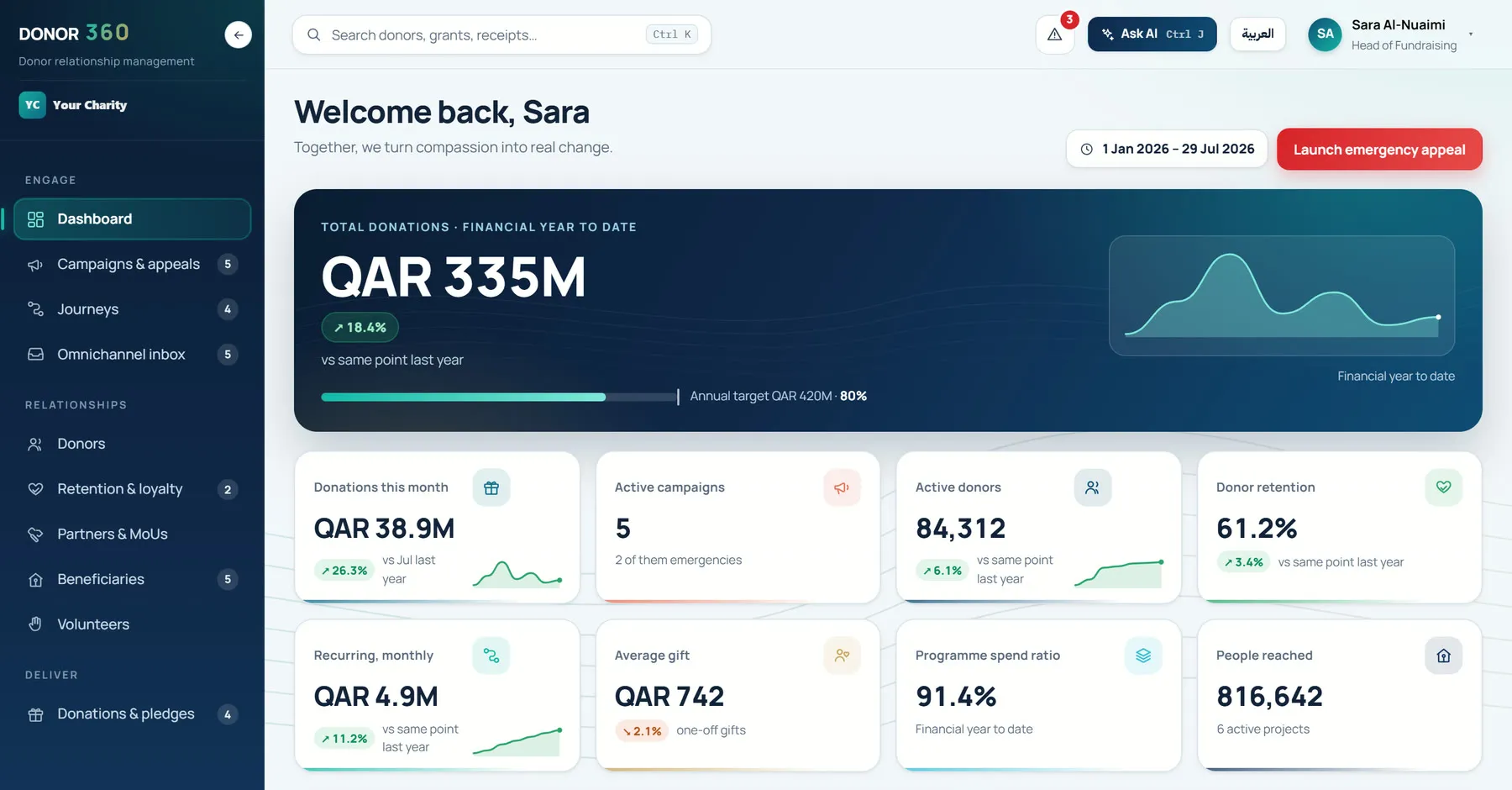
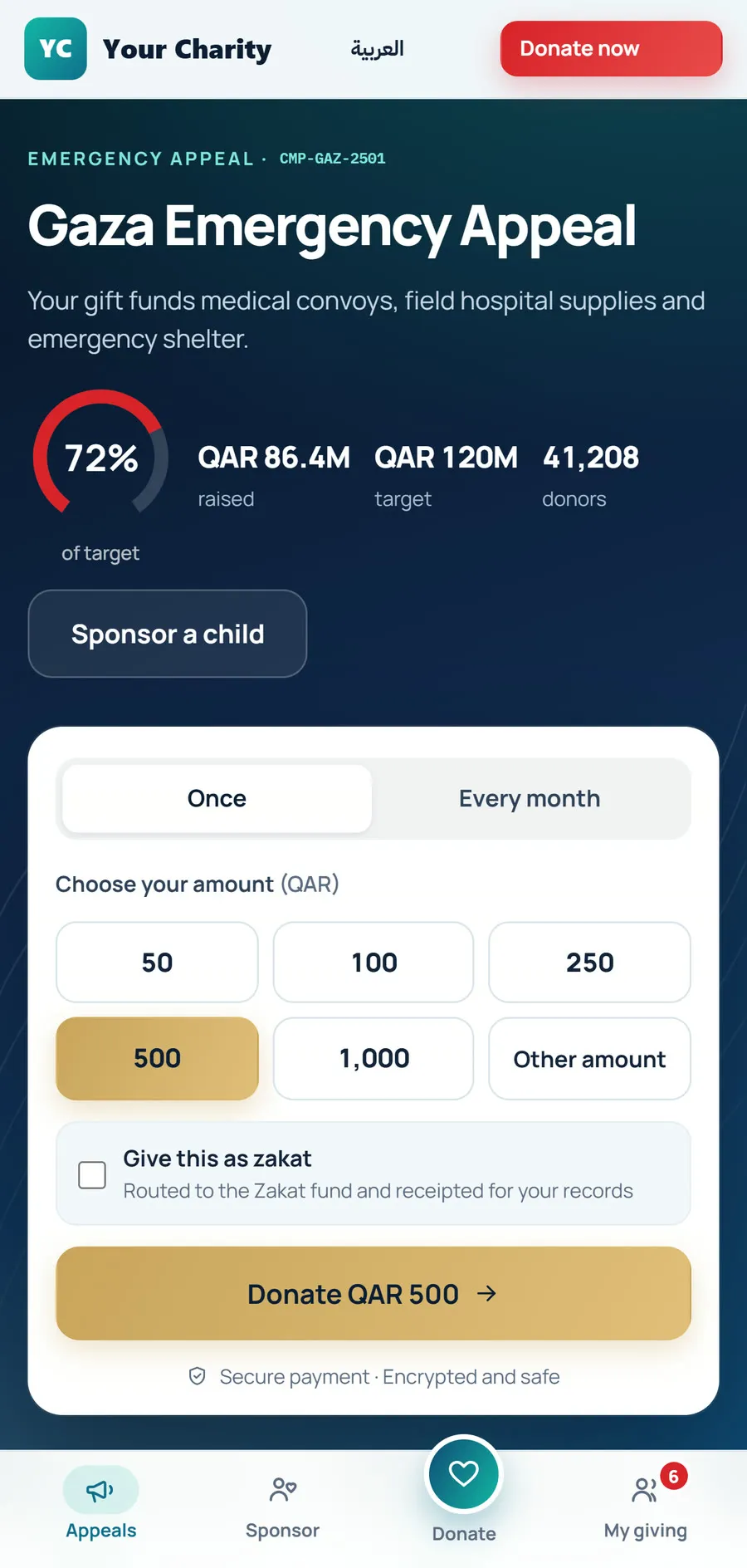
DONOR 360 brings fundraising, donor care, programmes and governance together in one bilingual platform built for charities in Qatar and across the GCC.
Your staff
Your donors
02 — Built for
Built for
- Charities
- Humanitarian & relief organisations
- Zakat organisations
- Foundations & endowments
03 — Four promises
Four promises
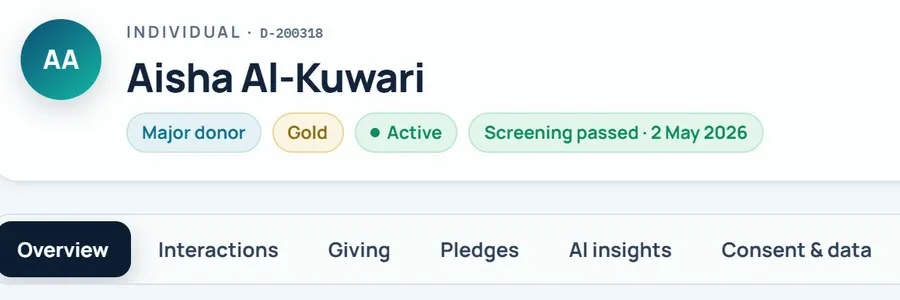
Know every donor
One record for every donor, with segments, retention and recognition tiers.
In DONOR 360Sample dataSee it on screen Raise with control
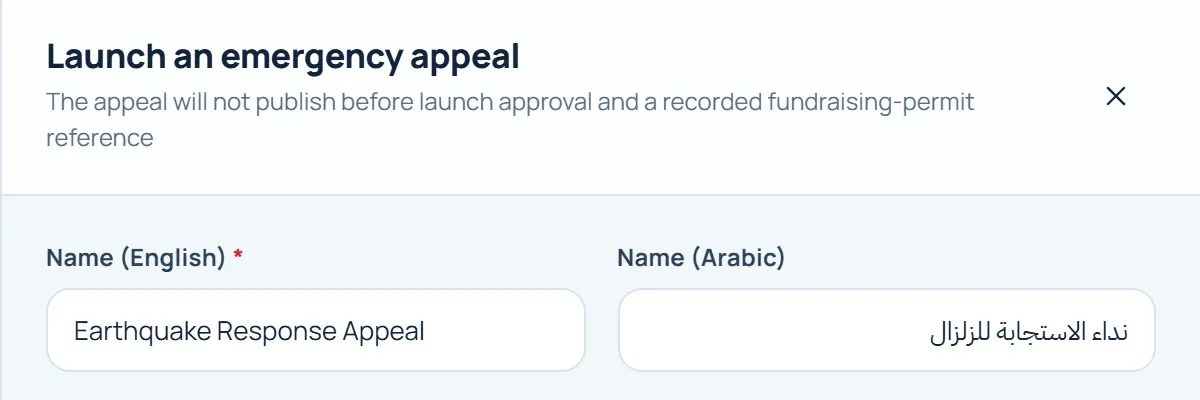
Emergency appeals go live only after approval and a fundraising-permit reference.
In DONOR 360Sample dataSee it on screen Answer on every channel
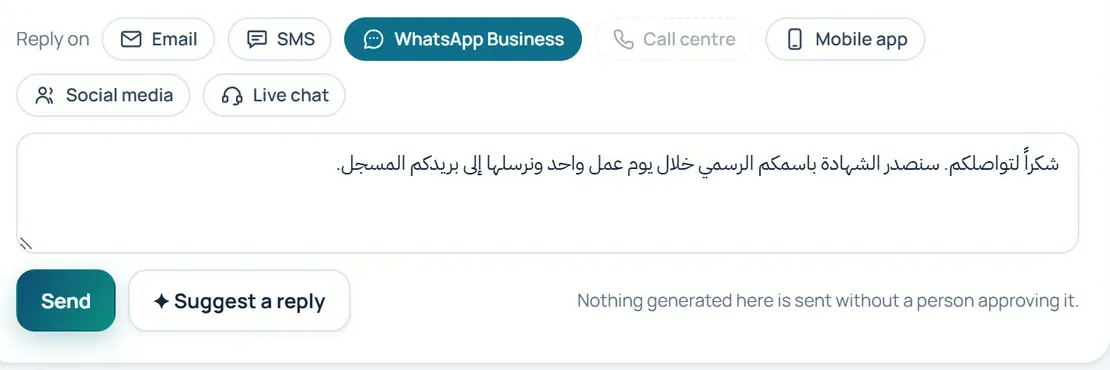
Email, SMS, WhatsApp Business, calls, live chat, web, social and branch, in one inbox.
In DONOR 360Sample dataSee it on screen Show where it goes
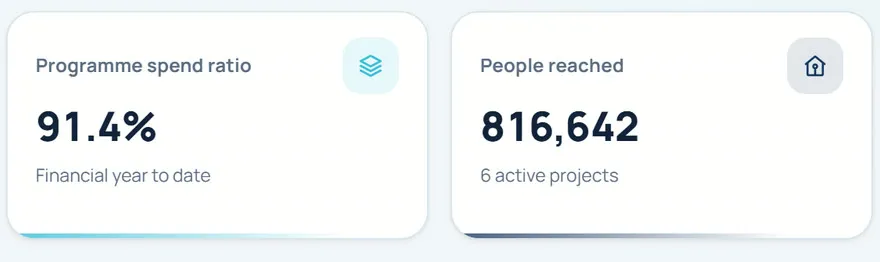
An executive dashboard with eight headline measures and a board scorecard.
In DONOR 360Sample dataSee it on screen
04 — Modules
Modules
Six modules on one platform. Marked items can be inspected on screen.
Donor relationships
- Records
- Donor 360 record
- Segments & retention
- Recognition tiers
Fundraising
- Campaigns & appeals
- Emergency appeal launch
- Donations, pledges & receipts
- Recurring giving & sponsorship
- Zakat
Engagement
- Donor portal & giving
- Donor account
- Omnichannel inbox
- Journeys
- AI voice agent & call desk
- Service desk
Programmes & partnerships
- Programmes & projects
- Beneficiaries & assistance
- Volunteers
- Partners & MoUs
- Grants
Insight
- Executive dashboard
- Reports & analytics
- AI insights
- Ask AI
Governance & platform
- Workflow & approvals
- Audit trail
- Compliance
- Configuration
- Integrations
01 Donor relationships
- Records
- Donor 360 record
- Segments & retention
- Recognition tiers
02 Fundraising
- Campaigns & appeals
- Emergency appeal launch
- Donations, pledges & receipts
- Recurring giving & sponsorship
- Zakat
03 Engagement
- Donor portal & giving
- Donor account
- Omnichannel inbox
- Journeys
- AI voice agent & call desk
- Service desk
04 Programmes & partnerships
- Programmes & projects
- Beneficiaries & assistance
- Volunteers
- Partners & MoUs
- Grants
05 Insight
- Executive dashboard
- Reports & analytics
- AI insights
- Ask AI
06 Governance & platform
- Workflow & approvals
- Audit trail
- Compliance
- Configuration
- Integrations
Shown on screen in Highlights
05 — Highlights
Highlights
Real screens with sample data. Choose an area, then inspect what each part does.
Executive dashboard
Notes on this screen
- Ask AIAsk AI answers with references.
- TargetRaised against target.
- Headline measuresEight headline measures and a board scorecard.
Donor record
Notes on this screen
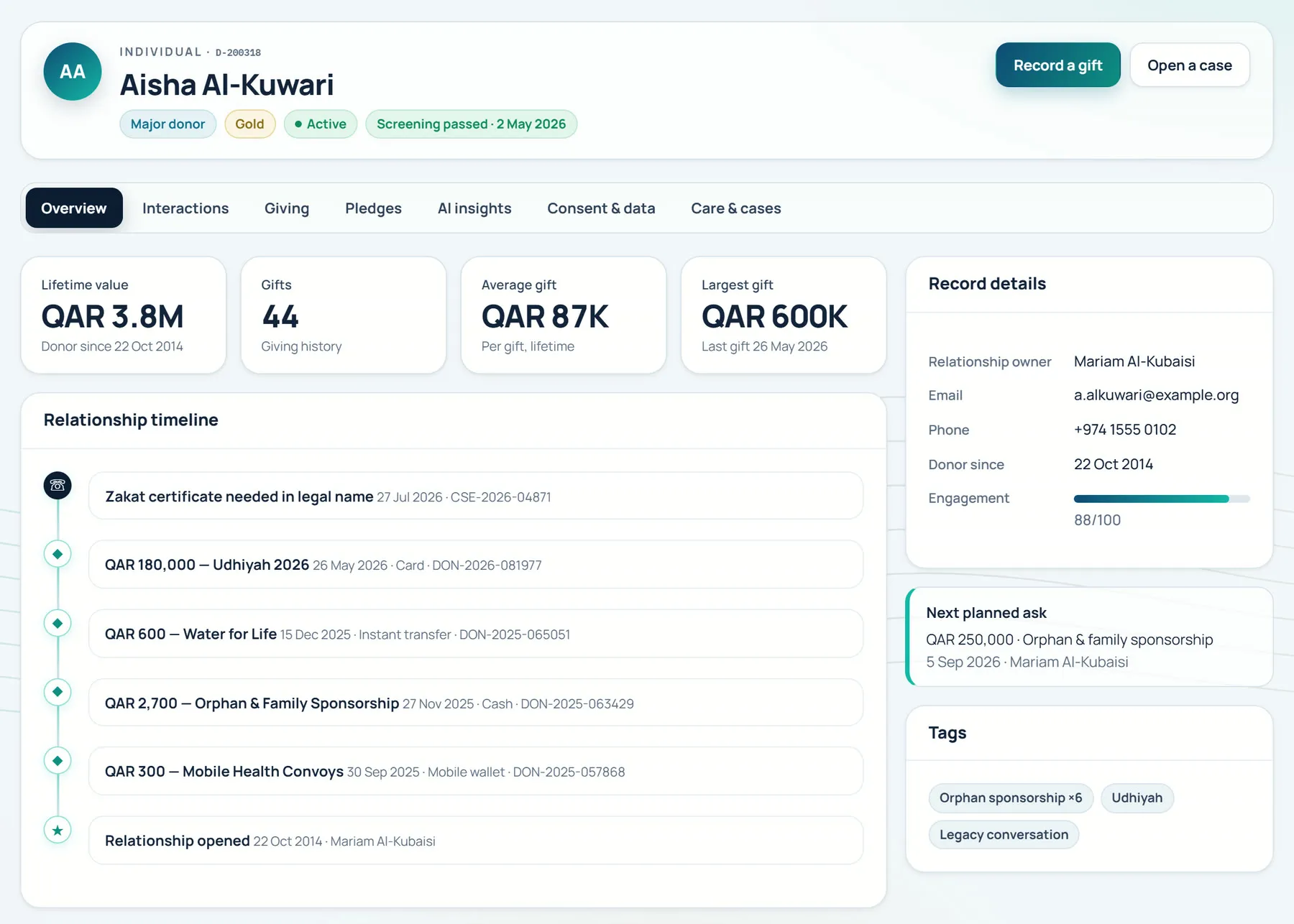
- One recordArabic and Latin script on one record.
- In one placeEvery donor, gift and conversation in one place.
- Next-best-askAI next-best-ask, with reasons.
Emergency appeals
Approvals
Notes on this screen
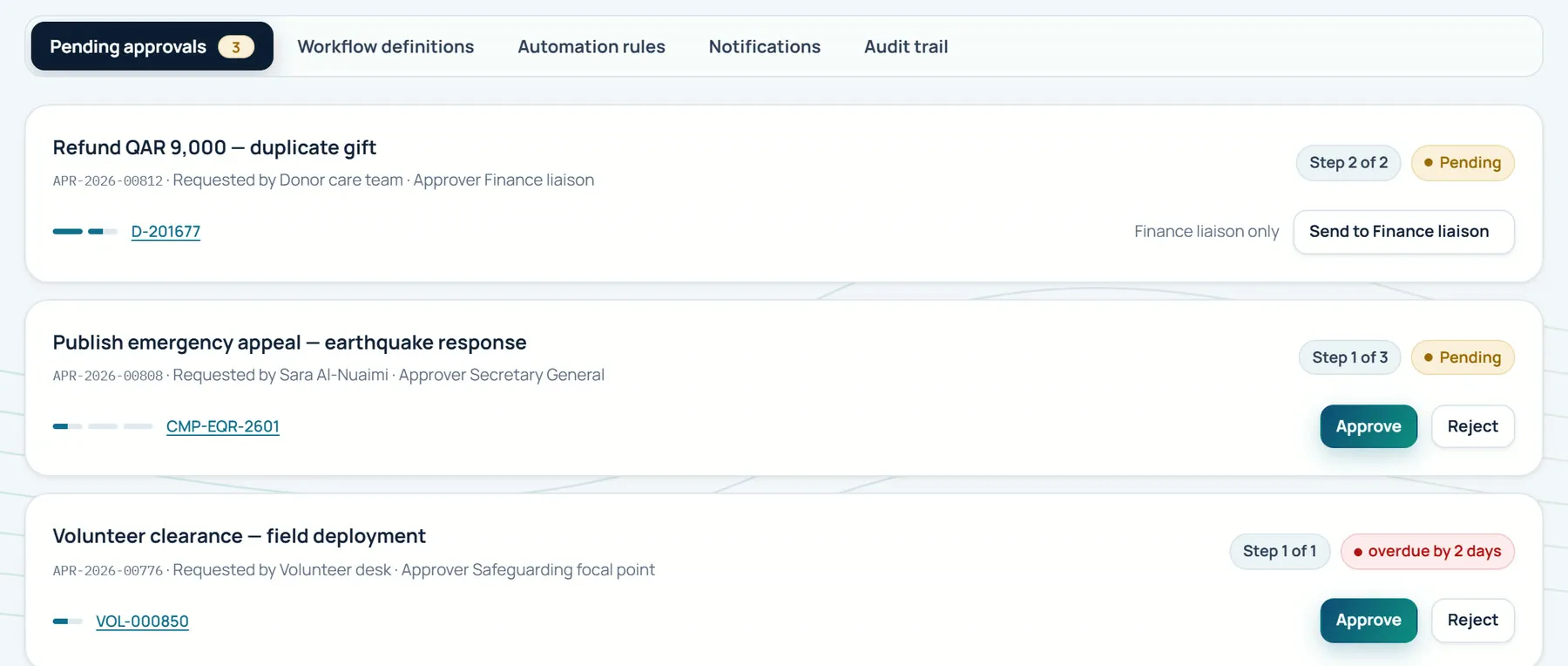
- Approvals inboxApprovals inbox and audit trail.
- A person approvesAn emergency appeal waits here until a person approves it.
Live appeal
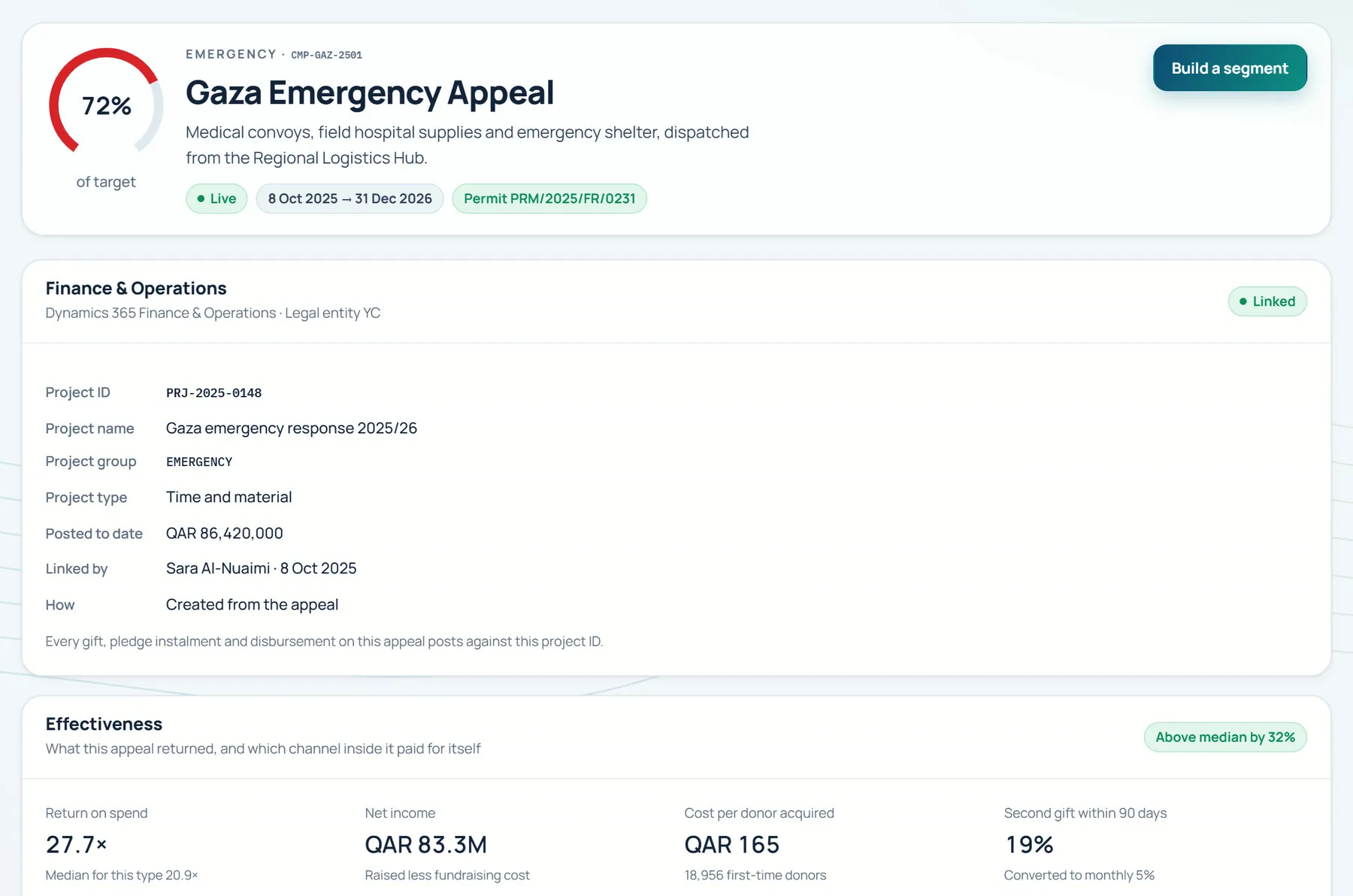
Notes on this screen
- Live after approvalGoes live only after approval and a fundraising-permit reference.
- Dynamics 365 FinanceDynamics 365 Finance connector.
Omnichannel inbox
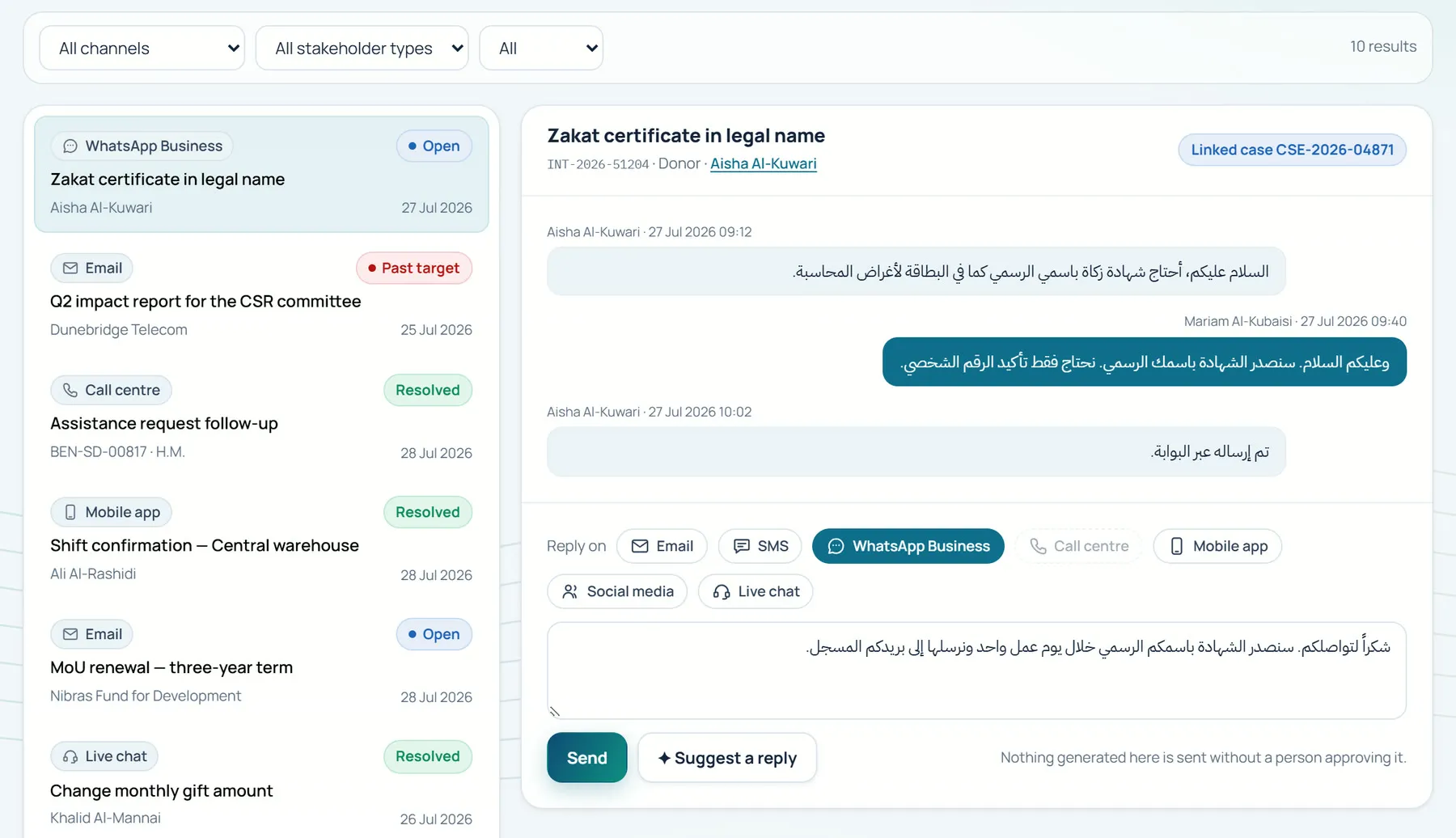
Notes on this screen
- Arabic and EnglishArabic and English equally, with full RTL.
- Every channelEmail, SMS, WhatsApp Business, calls, live chat, web, social and branch.
- AI draftsAI drafts, people approve.
Voice agent
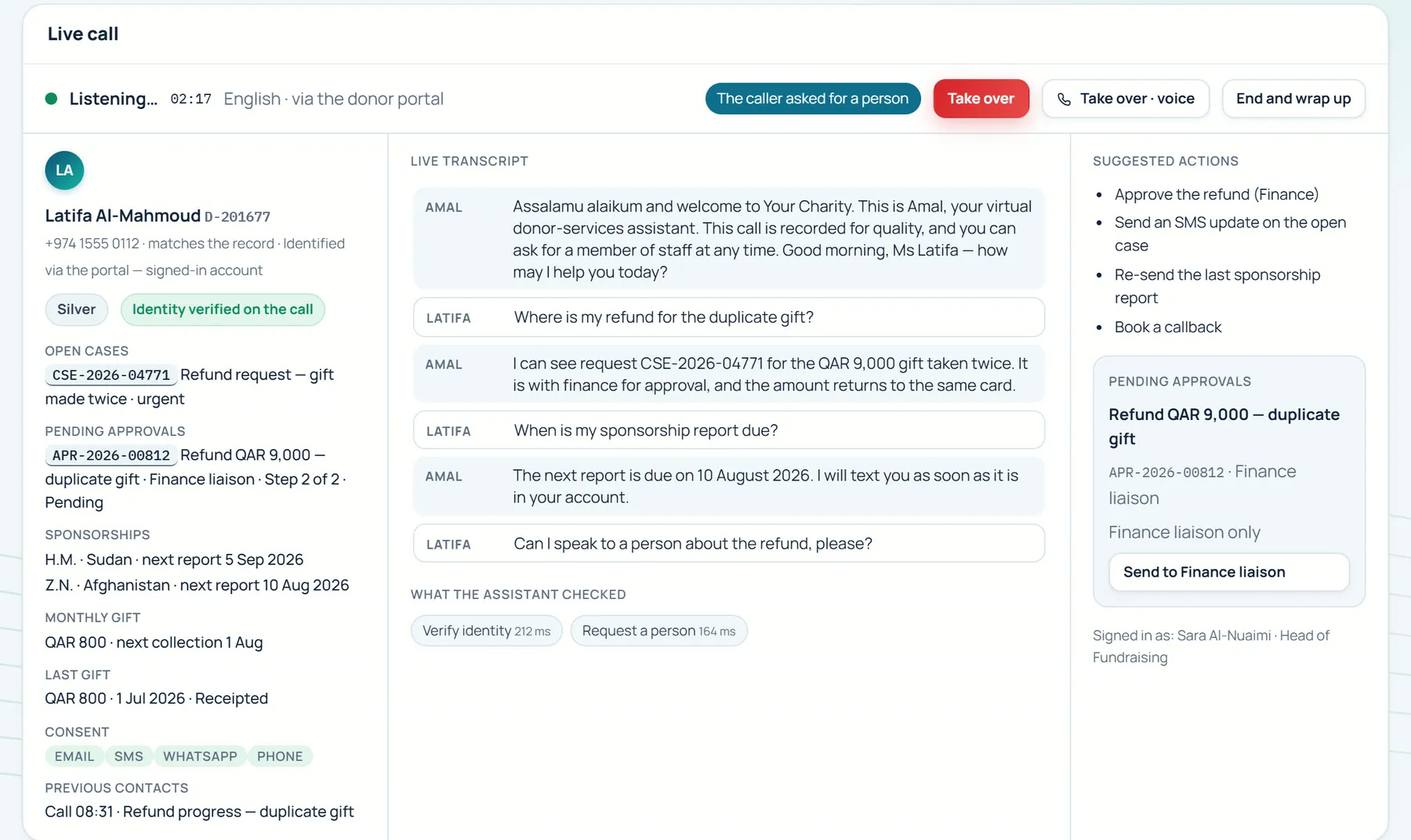
Notes on this screen
- A person takes overHands over to a person.
- Virtual, and says soDiscloses it is virtual.
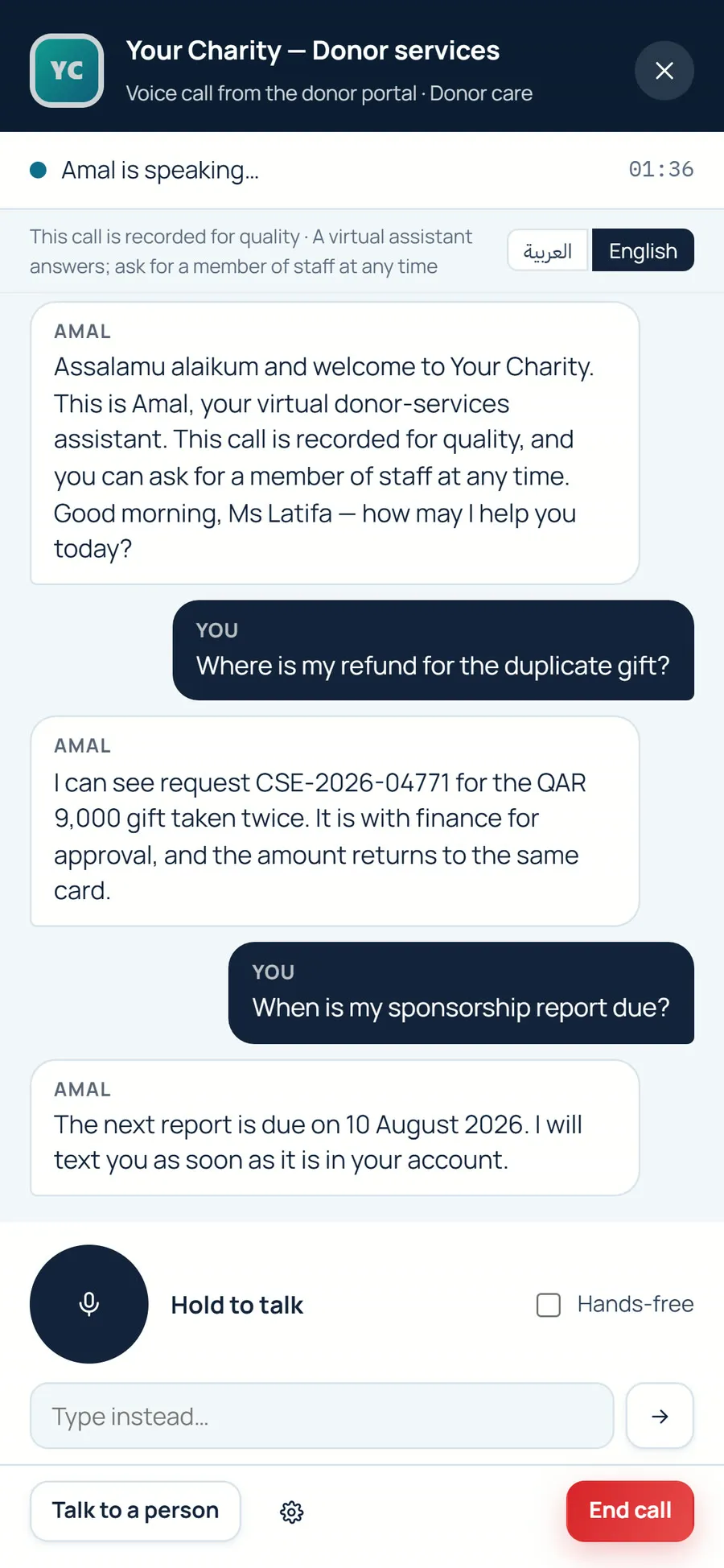
Notes on this screen
- DisclosureDiscloses it is virtual.
- Arabic and EnglishSpeaks Arabic and English.
- Talk to a personHands over to a person on request.
Zakat
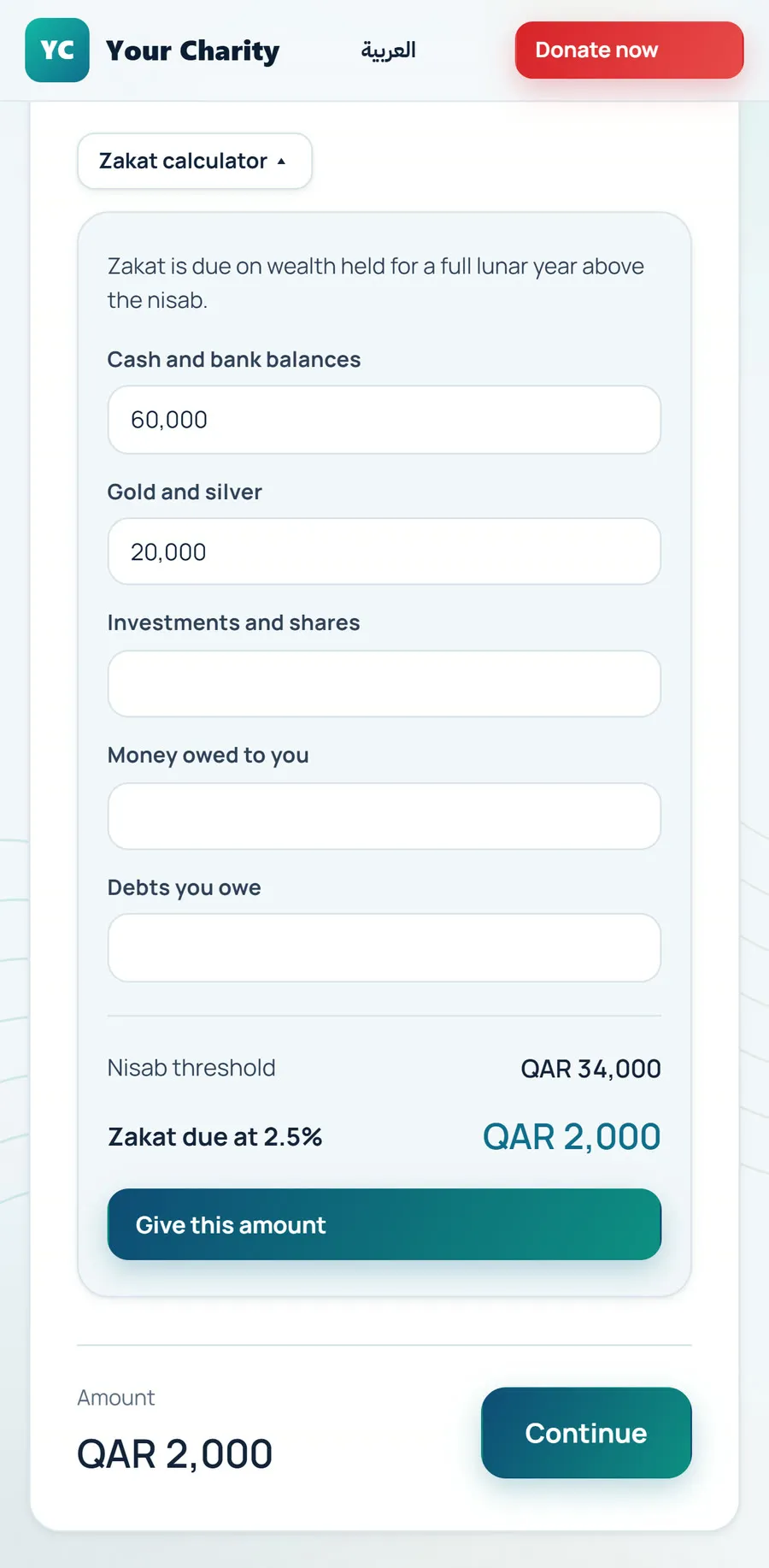
Zakat calculator
Notes on this screen
- Nisab and 2.5%Zakat calculator (nisab, 2.5%).
- FundsFunds including zakat, sadaqah, waqf and udhiyah.
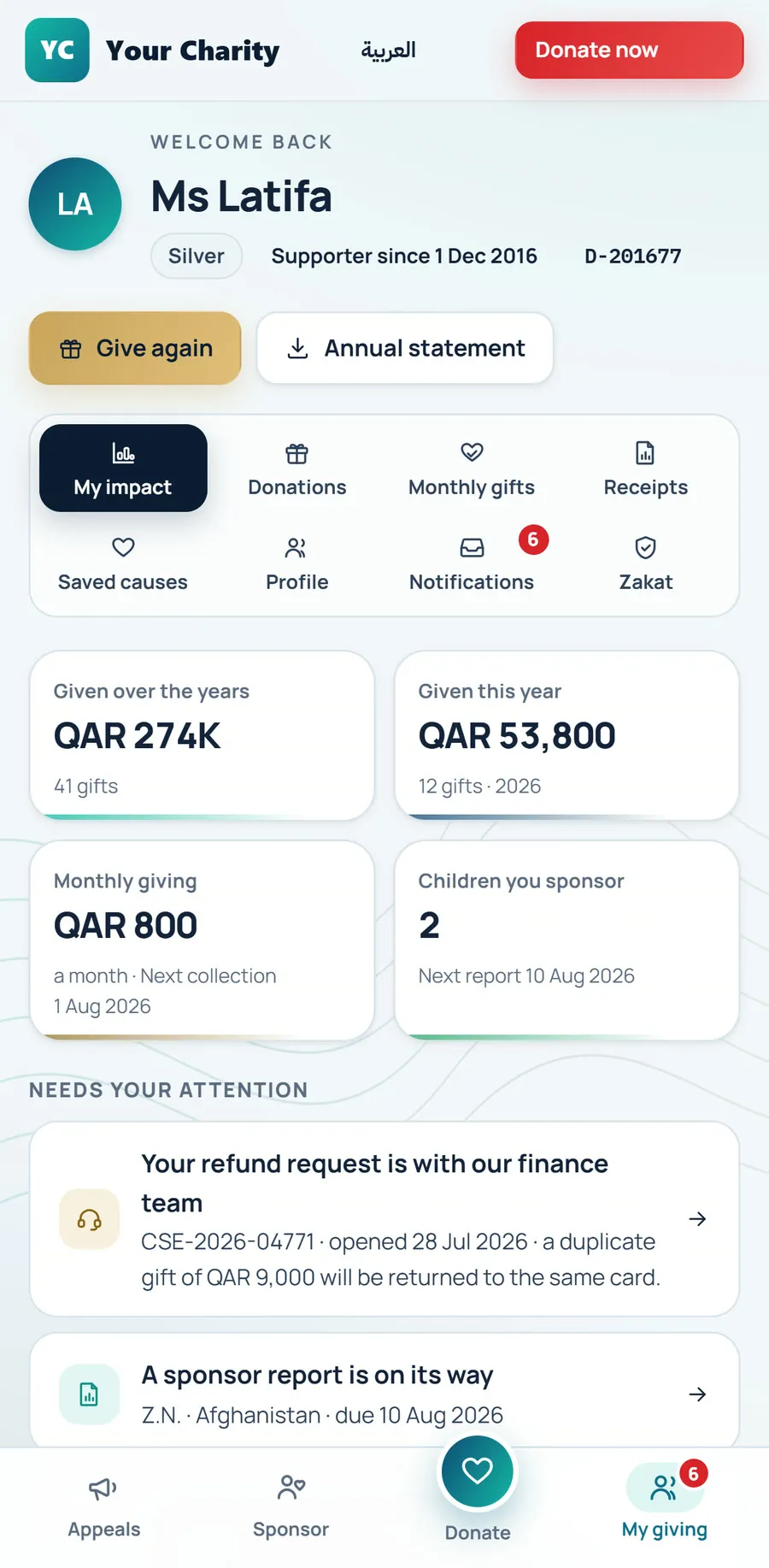
Donor account
Notes on this screen
- Shared record
Programmes
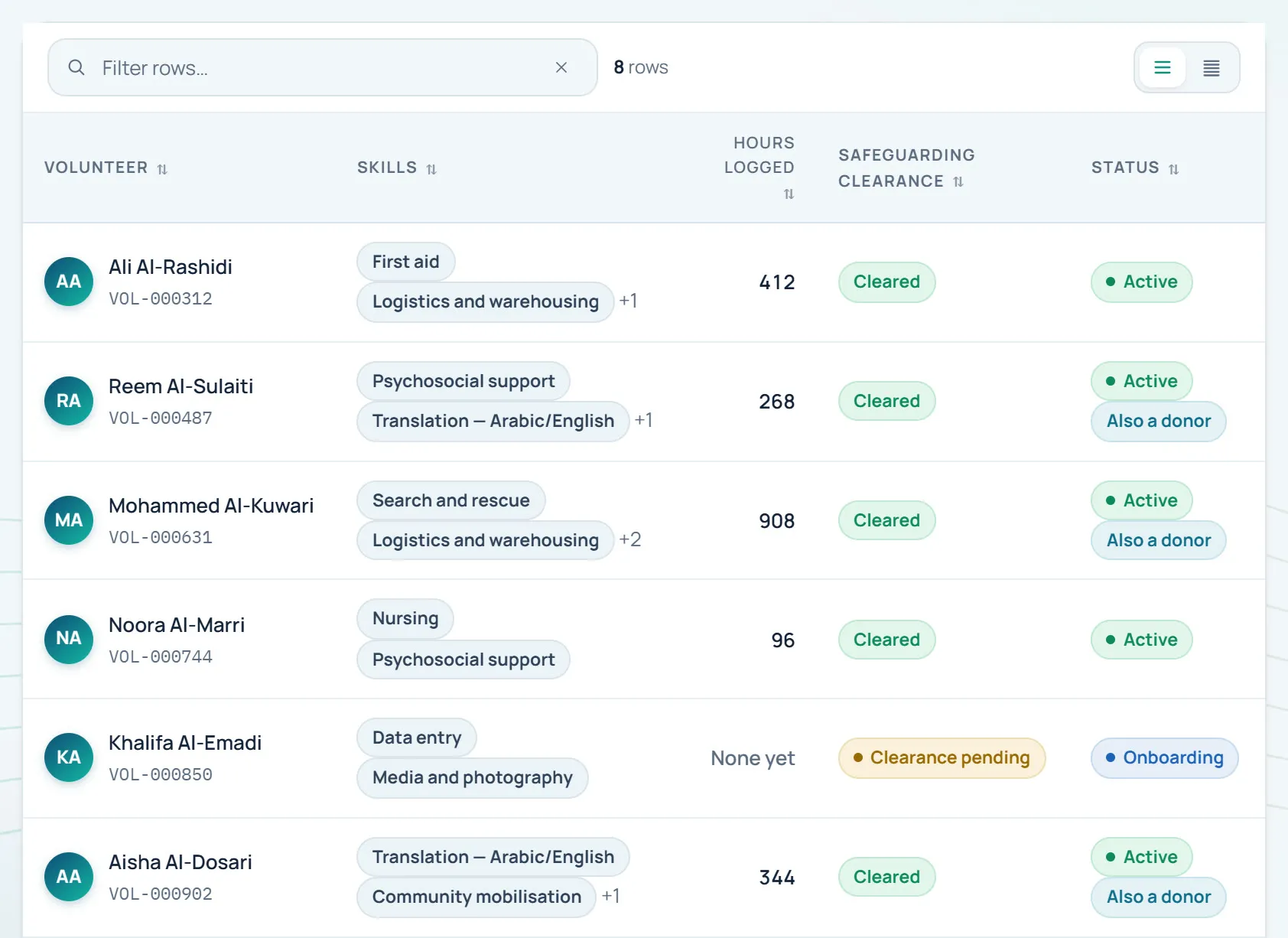
Volunteers
Notes on this screen
- Cleared firstVolunteers cleared first.
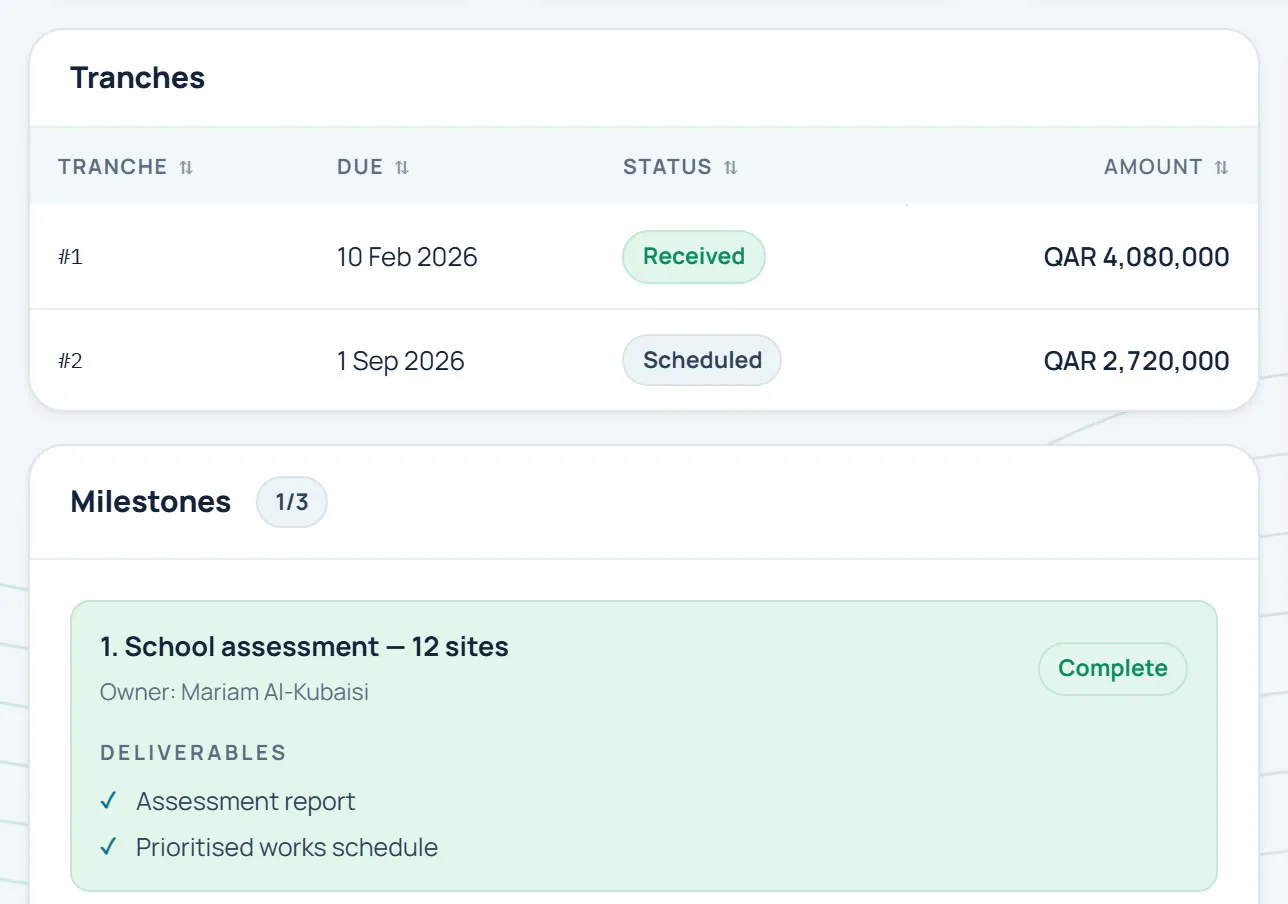
Grants
Notes on this screen
- Grants trackedMoUs and grants tracked.
Partners & MoUs
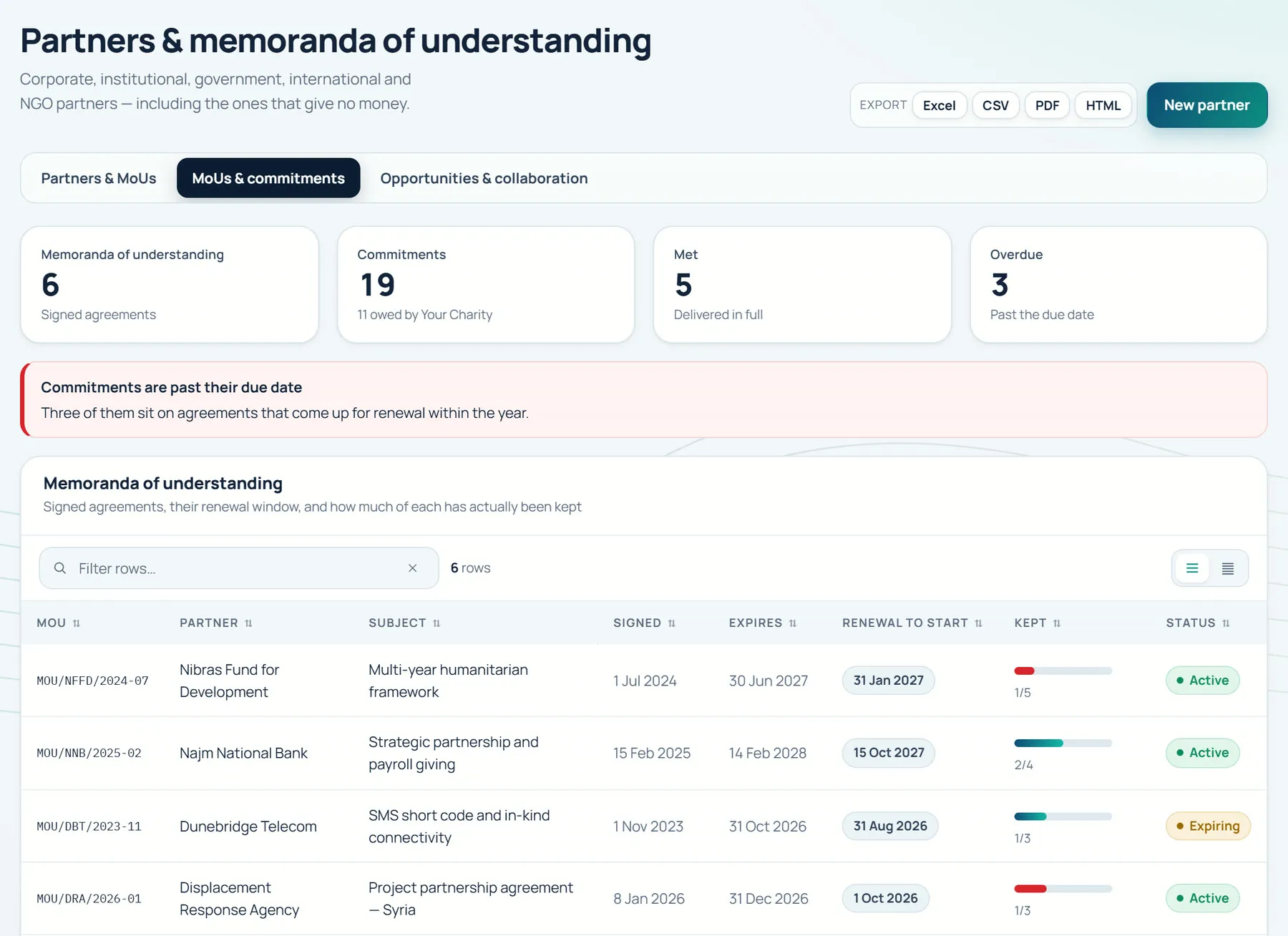
Notes on this screen
- MoUs trackedMoUs and grants tracked.
Beneficiaries
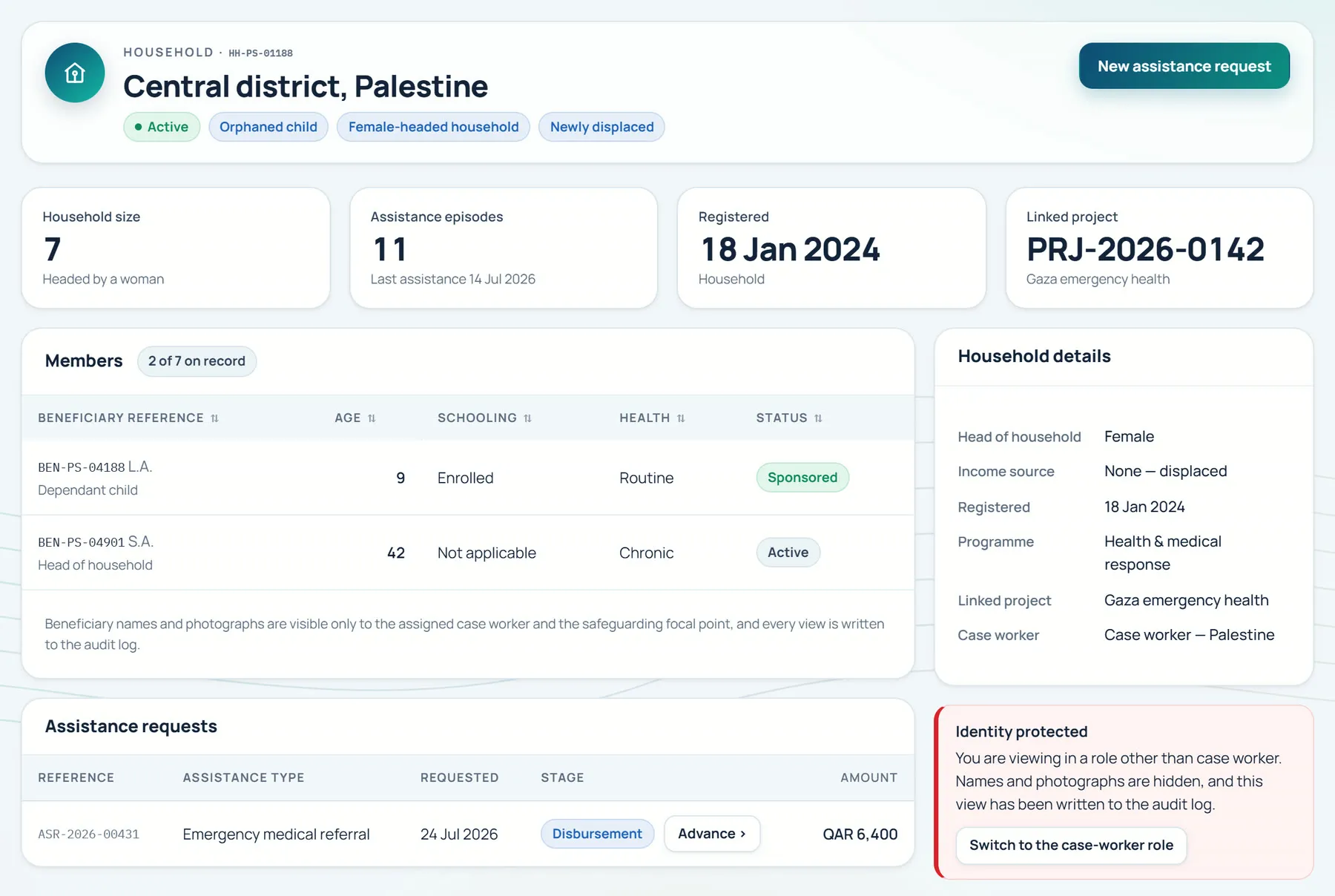
Notes on this screen
- Approval before payoutNo payout without approval.
- Privacy by defaultBeneficiary privacy by default.
Finance
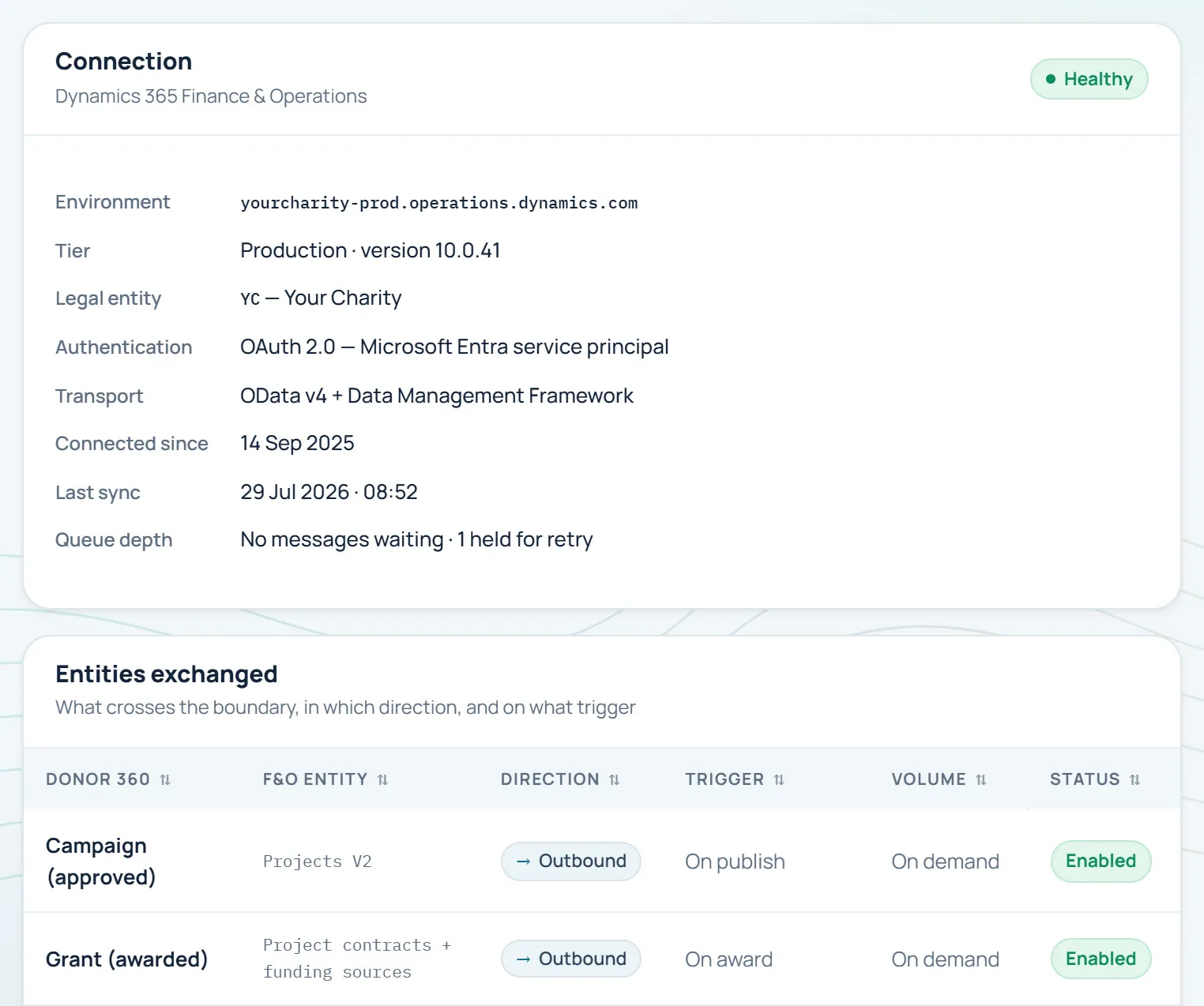
Notes on this screen
- Finance connectorDynamics 365 Finance connector.
Also in DONOR 360
- Donor portal in 3 short steps
- Beneficiary privacy by default
- Microsoft Entra ID sign-in with MFA
- Works on a phone
- Configuration, not customisation
- Arabic and English equally, with full RTL
06 — AI with control
AI drafts, people approve
AI acts within roles and approvals; people stay accountable.
- AI drafts, people approve.
- The AI voice agent discloses it is virtual and hands over to a person on request.
- Ask AI answers from live data with references.
07 — Implementation
Implementation
Five steps, delivered by the team that builds the product.
- Step 01Discover
- Step 02Configure
- Step 03Migrate & integrate
- Step 04Train
- Step 05Go live & support
08 — Why ConsultTik
Why ConsultTik
We build it and implement it
One relationship. From decision to adoption.
Built for Arabic and English
Arabic and English equally, with full RTL.
Made for charities
Zakat, sadaqah, waqf and udhiyah funds, beneficiaries, volunteers and grants.
Dynamics 365 Finance know-how
A Dynamics 365 Finance connector, from a Microsoft Solutions Partner.
09 — The film
The DONOR 360 film, shared on request.
Say It Once
Request the filmDiscuss your business priorities and Microsoft roadmap.
Built for Arabic and English, made for charities and implemented by the team that builds it.
Or write to us directlyinfo@consulttik.comsales@consulttik.com