01 — AI, Copilots & Intelligent Agents
Practical value, not experimentation.
AI that works inside your processes, within roles and approvals, so people stay accountable.
The value chain
- Business process
- Trusted data
- AI & agents
- Roles & controls
- Business outcomes
AI sits in the middle of the chain, never at the end of it.
02 — What AI does
Inside the work, not beside it.
Automate
Routine work handled within your rules.
Augment
People get answers and drafts, with sources.
Accelerate
Connected actions across Dynamics 365, Power Platform and Azure.
03 — In practice
AI with control, in practice
Choose a request and follow it along the chain. The draft stops at the gate until you decide.
Choose a request
RequestFind insight faster
Illustrative exampleBusiness process
Where the request starts.
Step 1 of 5 RequestWhich projects are behind their baseline this month?
Trusted data
The records the AI is allowed to use.
Step 2 of 5 Trusted dataAI & agents
Drafts and proposes; never decides alone.
Step 3 of 5 DraftA summary of projects behind baseline, with a link to each project, is ready for the steering meeting.
Roles & controls
A person with the right role approves.
Step 4 of 5 Awaiting approvalTwo buttons wait here: Approve, or Send back for one revision.
Business outcomes
Done, recorded and accountable.
Step 5 of 5 Shared with the steering committee. Logged to the audit trail.
Approved · logged to the audit trail
Which projects are behind their baseline this month?
A summary of projects behind baseline, with a link to each project, is ready for the steering meeting.
A shorter summary, grouped by project manager, with a link to each project.
Shared with the steering committee. Logged to the audit trail.
Approved · logged to the audit trailShared with the steering committee. Logged to the audit trail.
Approved · logged to the audit trailPrepare this month’s timesheet reminders.
Reminders drafted for team members with missing entries. People on leave are excluded.
Reminders drafted, plus a summary for each manager.
Reminders sent. Activity recorded.
Approved · logged to the audit trailReminders sent. Activity recorded.
Approved · logged to the audit trailA customer reports a damaged delivery.
Proposed actions: create a return, reserve replacement stock, notify the customer.
Proposed actions: create a return and notify the customer; replacement to follow once stock is confirmed.
Return created, stock reserved and customer notified, in the systems you already run.
Approved · logged to the audit trailReturn created and customer notified, in the systems you already run.
Approved · logged to the audit trailStatusReady when you are.
One revision per request. Only Approve remains.
AI acts within roles and approvals; people stay accountable.
When a caller wants a person
Illustrative sequence based on DONOR 360 behaviours.A virtual agent answers the call, says what it is and steps aside the moment a person is asked for.
DONOR 360 highlights- Call
A call arrives.
- AI voice agent
“Hello, you’re speaking with a virtual assistant. I can help in Arabic or English.”
- Caller
“I need a copy of my donation receipt.”
- Caller
“Can I speak to a person, please?”
- AI voice agent
“Of course. Connecting you to a member of the team now.”
- Outcome
Handover complete. The call stays on the record.
04 — Impact
Real business impact
Find insight faster
Answers from your data, with the sources shown.
Automate routine work
Repetitive steps handled within your rules.
Support better decisions
Drafts, summaries and options for the people who decide.
Trigger connected actions
One approved step updates the systems involved.
Opens the approval gate with this request selected.
05 — AI with control
AI with control
AI acts within roles and approvals; people stay accountable.
Demonstrated in DONOR 360
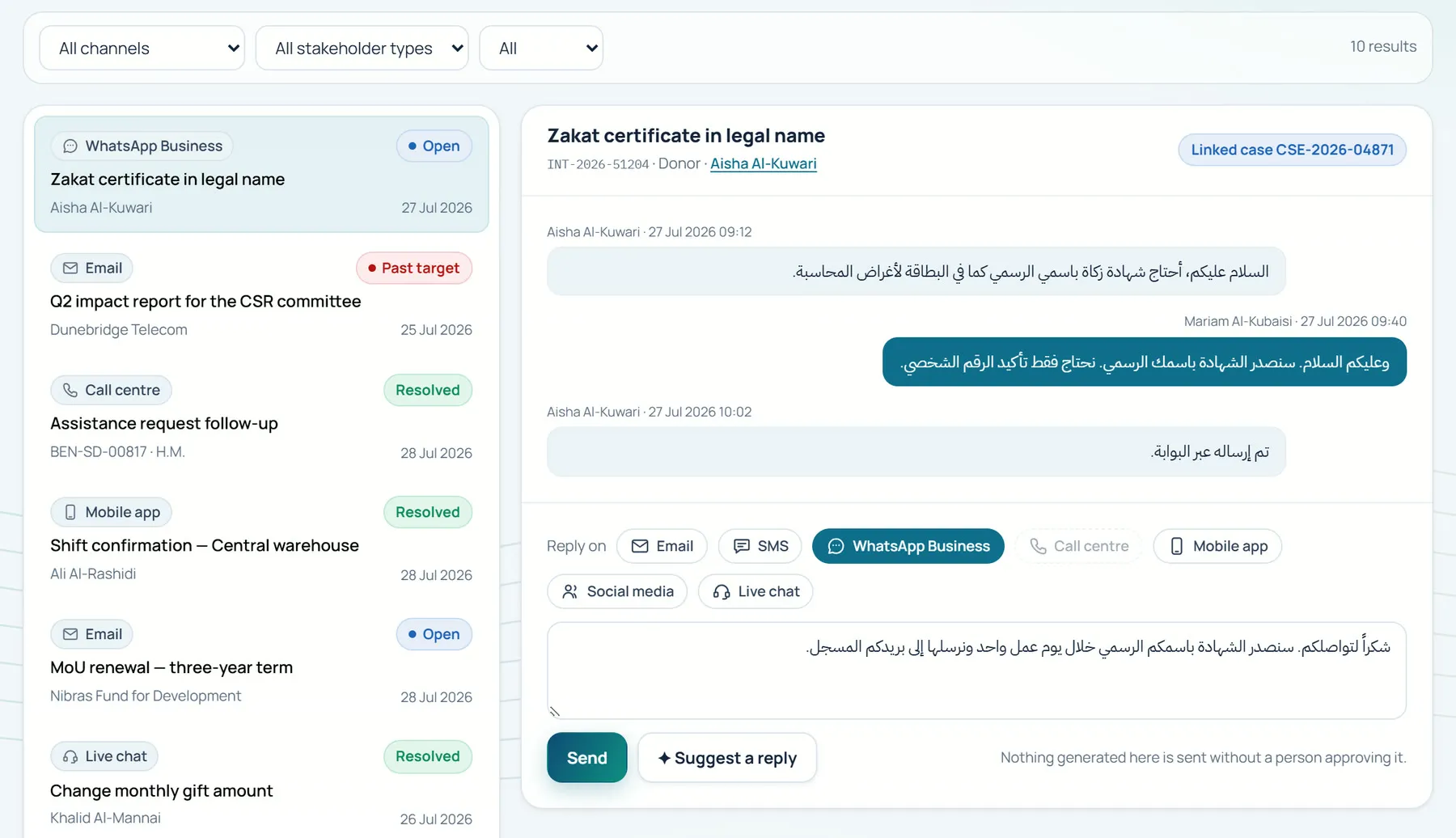
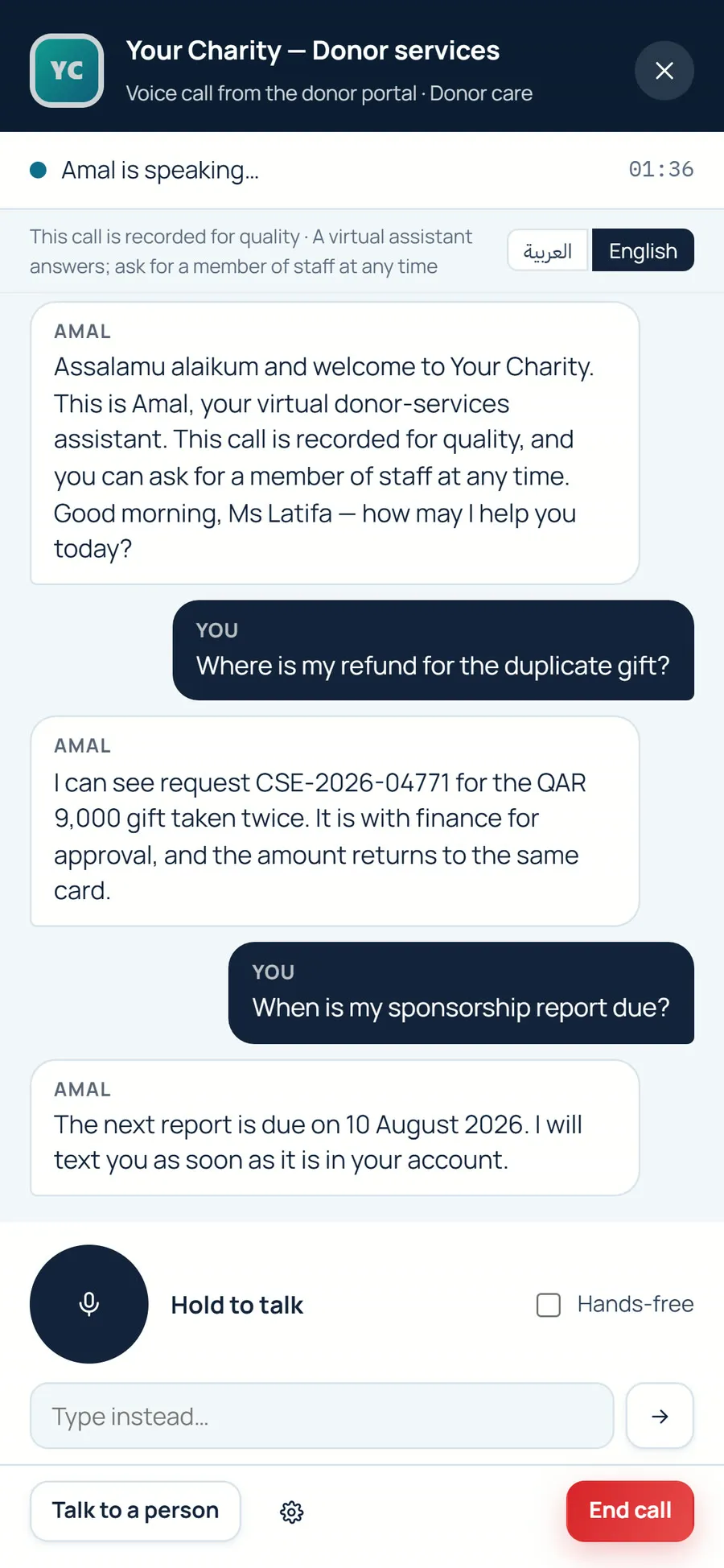
Three behaviours you can see in the product, on real screens with sample data.
AI drafts, people approve.
The AI voice agent discloses it is virtual and hands over to a person on request.
Ask AI answers from live data with references.
01 Omnichannel inbox
02 Voice call
03 Executive dashboard
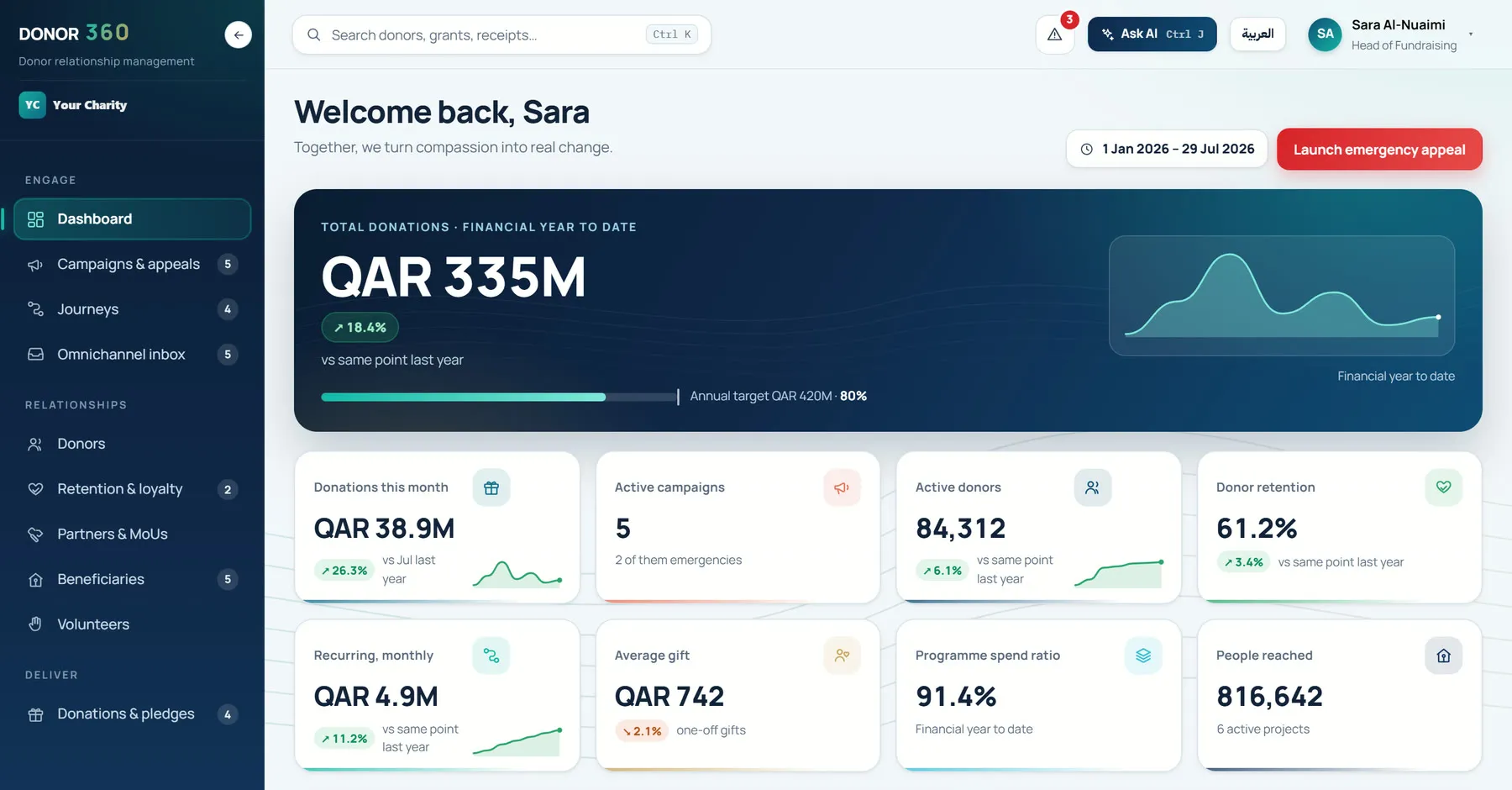
Screens show sample data under a demonstration brand.
06 — AI stack
The Microsoft AI stack
Copilots and agents built on the Microsoft platforms your organisation already runs.
AI, Copilots & Agents serviceTechnology
 Copilot Studio
 Dynamics 365
 Power Platform
 Microsoft Foundry (Azure AI Foundry)
- Microsoft Fabric
 Azure
Azure
Where else it appears
- AI, Copilots & AgentsServicevia Copilot Studio, Dynamics 365 and Microsoft Foundry (Azure AI Foundry)
- Business ApplicationsServicevia Dynamics 365
- Automation & AppsServicevia Power Platform
- SyncroStocksProductvia Power Platform and Azure
- Data & BIServicevia Microsoft Fabric
- Cloud & SecurityServicevia Azure
Microsoft Solutions Partner
Aligned across business applications, data, cloud and AI.
- Data & AI (Azure)
- Business Applications
- Digital & App Innovation (Azure)
- AI Business Solutions
- Cloud & AI Platforms
Designated Solutions partner. Reseller. Developer.
Microsoft Marketplace publisher: SyncroStocks, rated 5.0 (opens in a new tab)
07 — The assistant
About this site’s assistant
The assistant on this site follows the same rules: it answers from what is published here, shows its source and hands over to a person.
- What it knows
- The content published on this website, in English and Arabic.
- How it answers
- From prepared answers, each linked to the page it came from. Use “Show me” to see the source.
- What it won’t do
- Quote prices, discuss clients beyond published case studies, or keep your conversation after you close this tab.
- How it’s built
- A demonstration knowledge base behind one provider interface, designed to connect to Azure OpenAI or Copilot Studio.
An answer, as the assistant gives it
Illustrative exampleHow does AI with control work?
AI acts within roles and approvals; people stay accountable.
DONOR 360 demonstrates this: AI drafts and people approve, the AI voice agent discloses that it is virtual and hands over to a person on request and Ask AI answers from live data with references.
Discuss your business priorities and Microsoft roadmap.
Start with one process, one set of trusted data and one approval route.
Or write to us directlyinfo@consulttik.comsales@consulttik.com